
Create a file list
Choose a Drive folder, filter by file type and other details, then add only the columns you need. The Free plan supports up to 1,000 matching files per scan.
Google Drive™ + Google Sheets™ · Free plan · 14-day Pro trial
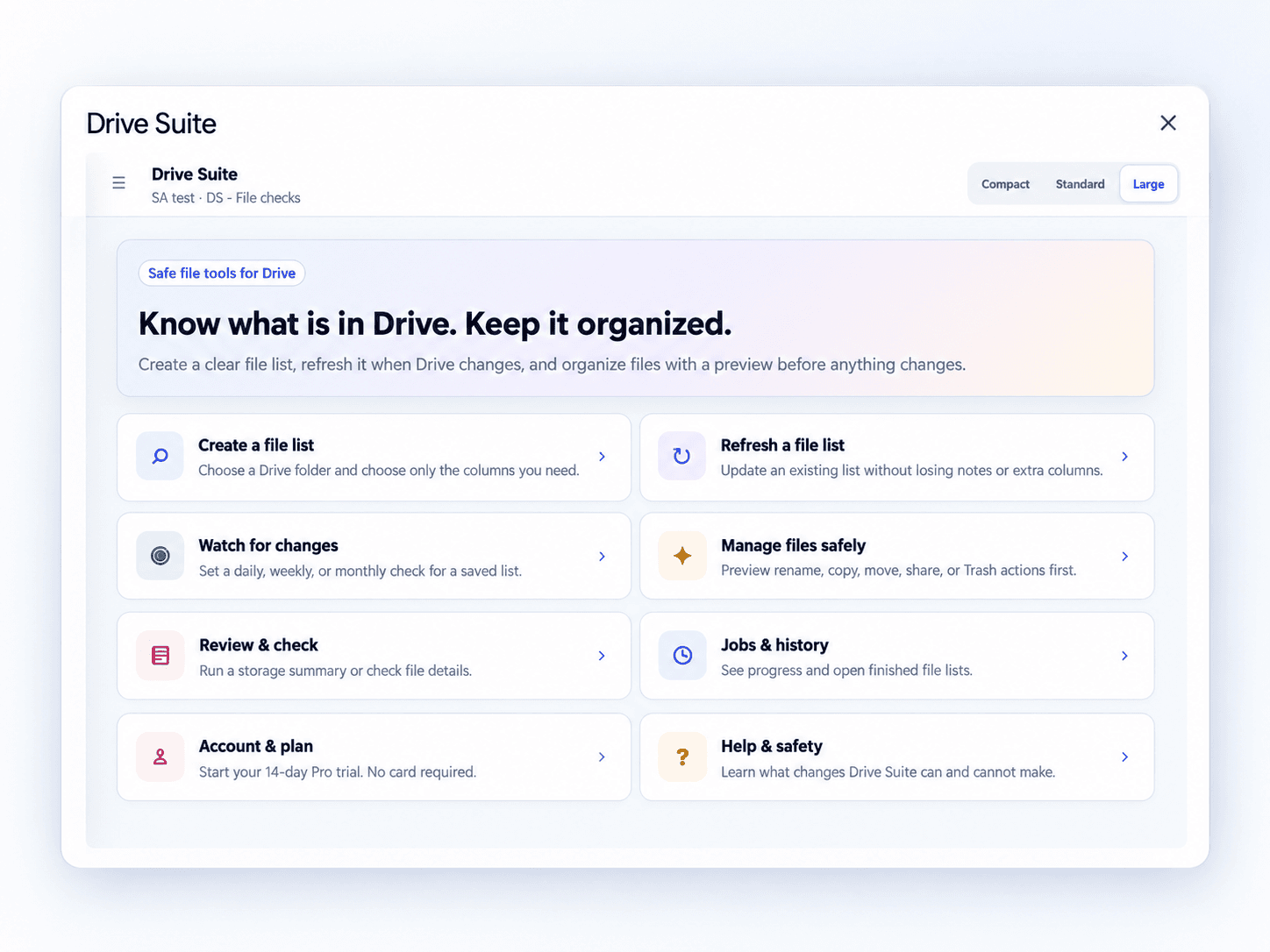
Create a clear file list, refresh it when Drive changes, and manage files with a preview before anything changes.
Review each proposed file change before you approve it.
One connected workflow
Create your catalog, keep it current, then review or manage files from the same spreadsheet-centered workspace.
Choose a Drive folder, filter by file type and other details, then add only the columns you need. The Free plan supports up to 1,000 matching files per scan.
Manually update a list by file ID while keeping your notes and additional columns intact. Free scans support up to 1,000 matching files per run.
Set a schedule for a finished list. Edit, pause or delete daily, weekly or monthly monitoring later.
Run read-only storage summaries, duplicate checks, sharing reviews and file checks. Reports stay with the chosen spreadsheet.
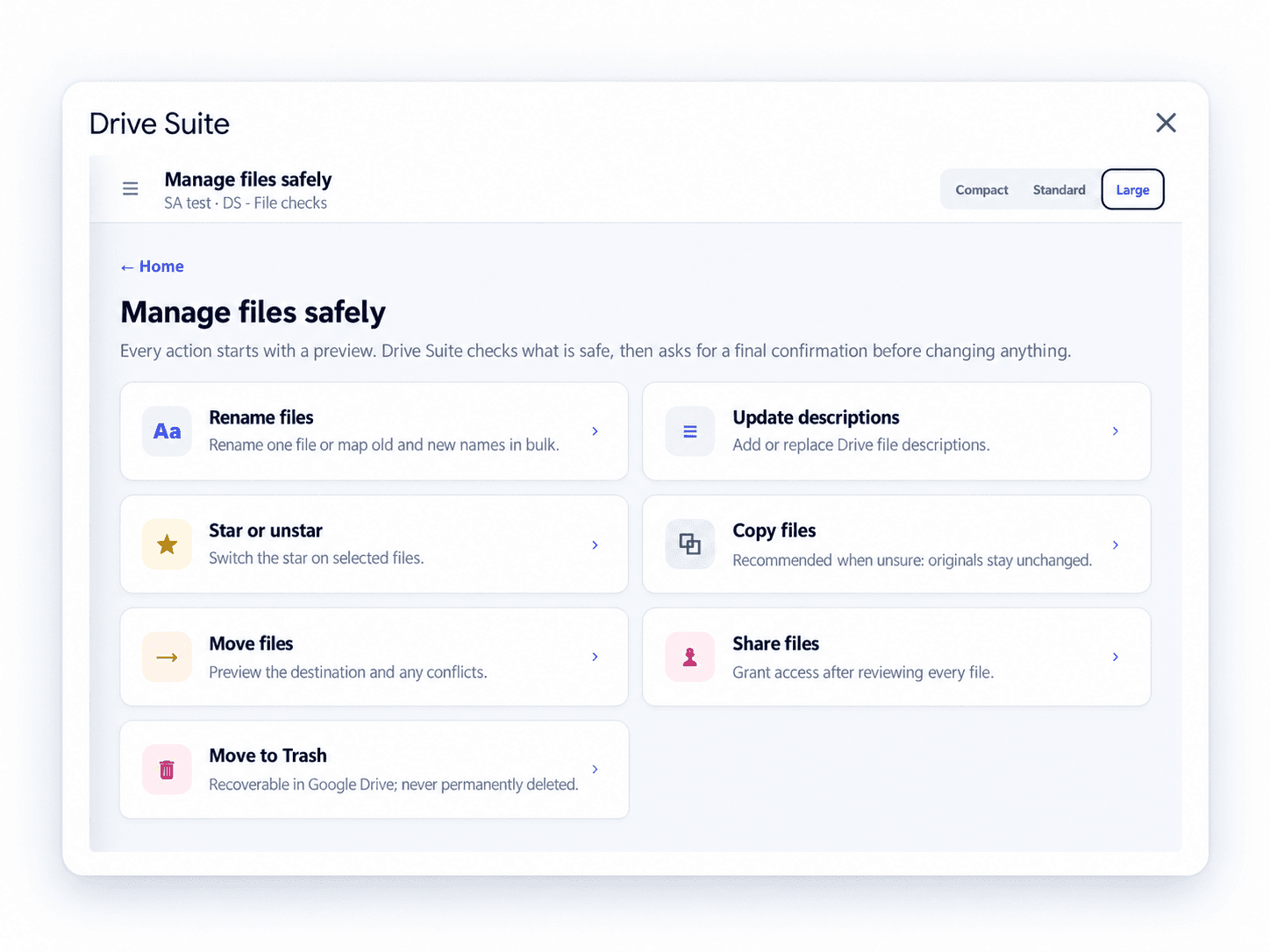
Preview rename, copy, move, description, sharing, star and Trash actions before you approve a change.
See scan progress, completed runs, refresh results and recoverable history in one clear place.
A closer look
See the real interface—from a first folder scan to scheduled checks and careful file management.
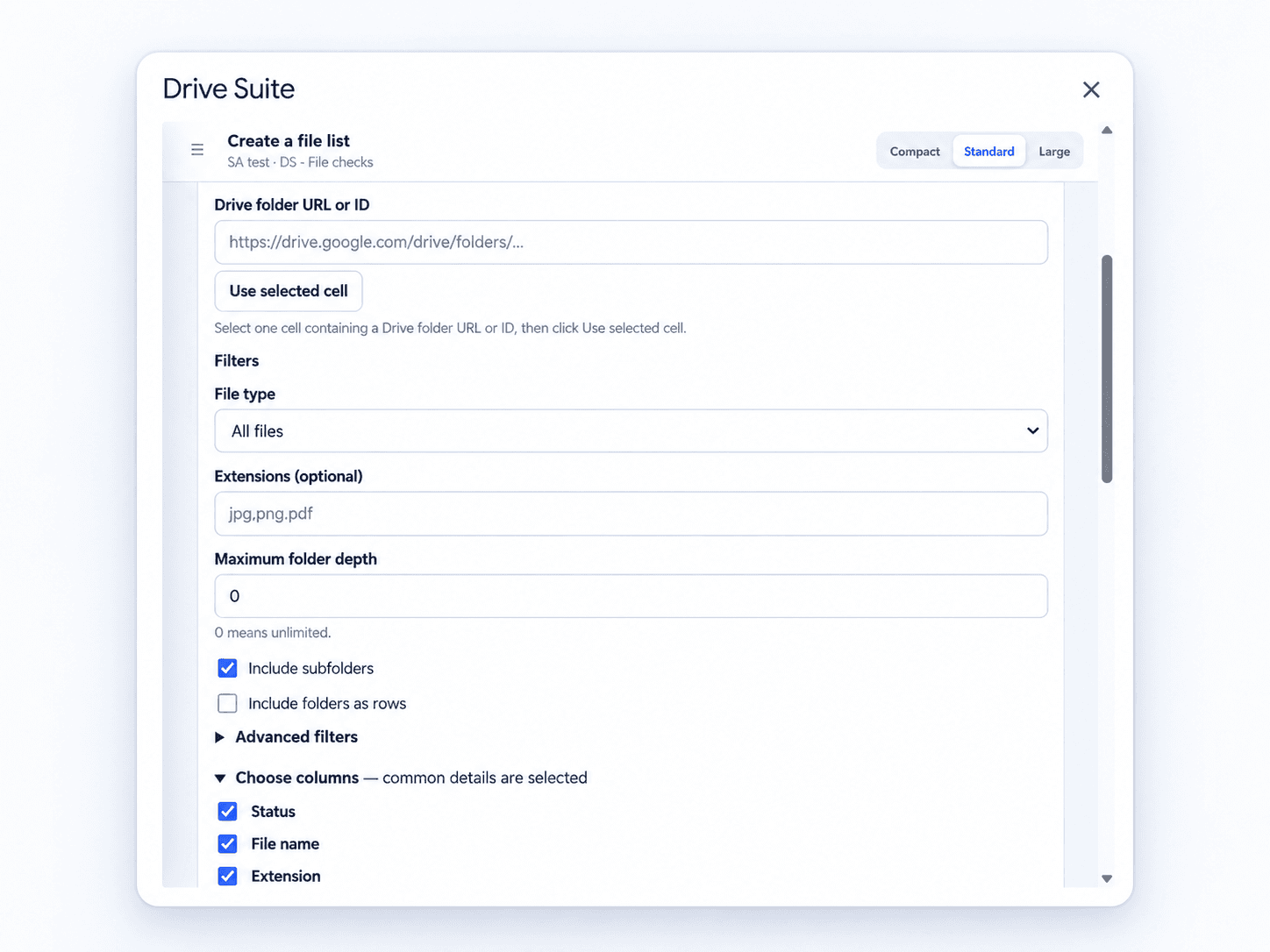
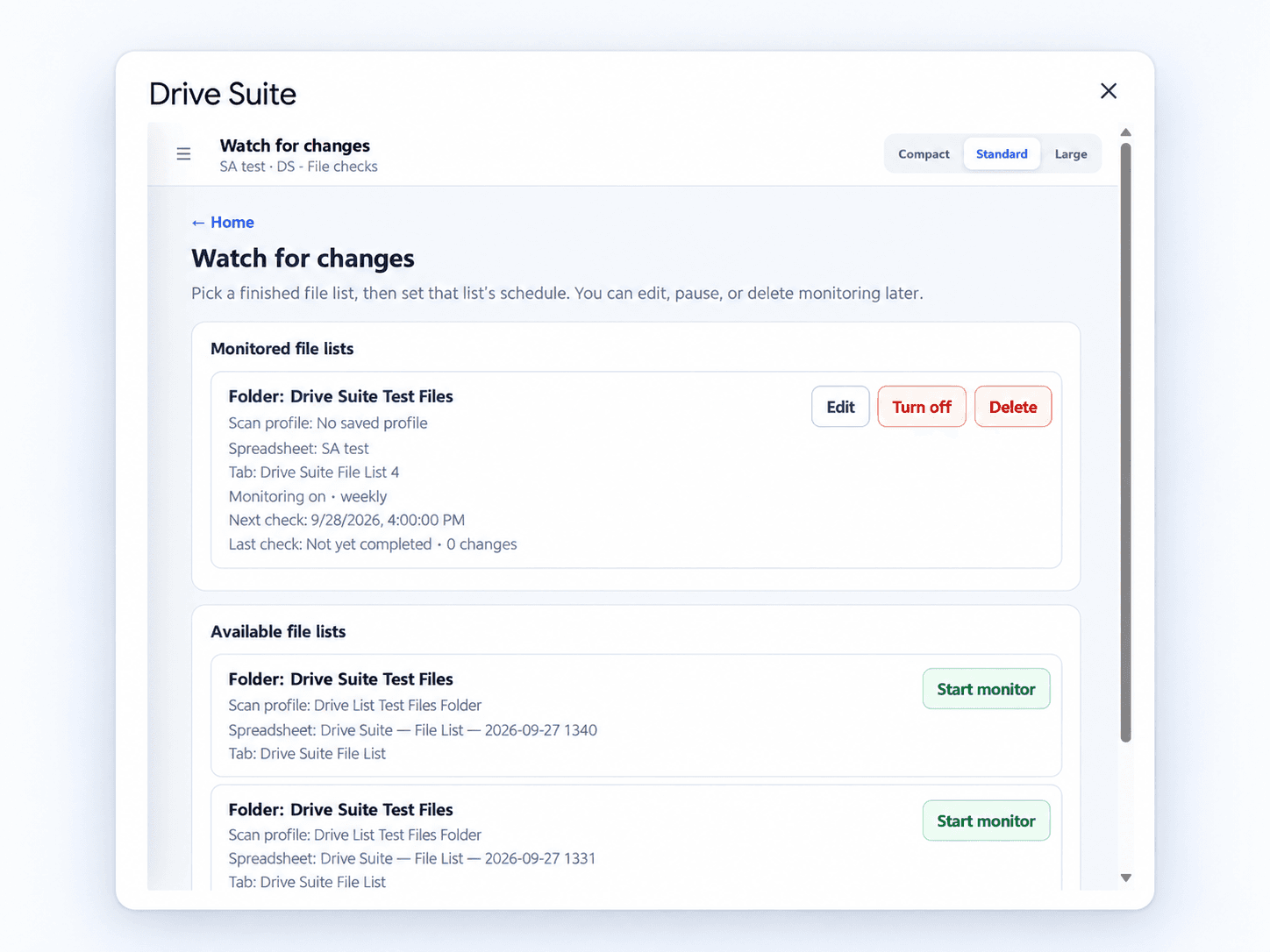
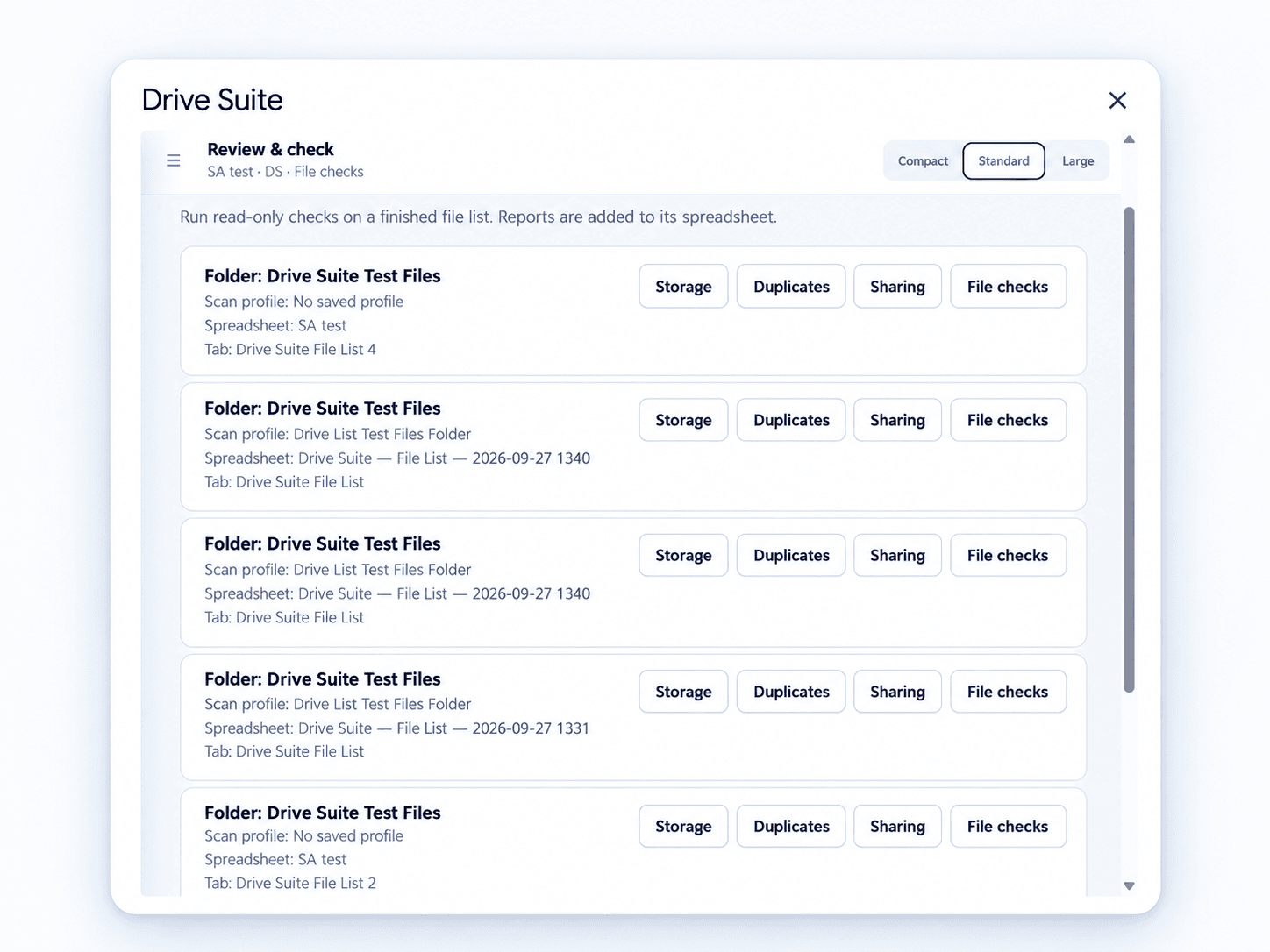
Select it in Drive or paste a folder link in Sheets. Include subfolders when you need them.
Choose metadata, filters, output location and the columns your team needs.
Open the linked Sheet, track progress, and preview any file-management changes.
Drive Suite plans
Start free. Go Pro for scheduled checks and advanced reviews.