
Options from a Sheet
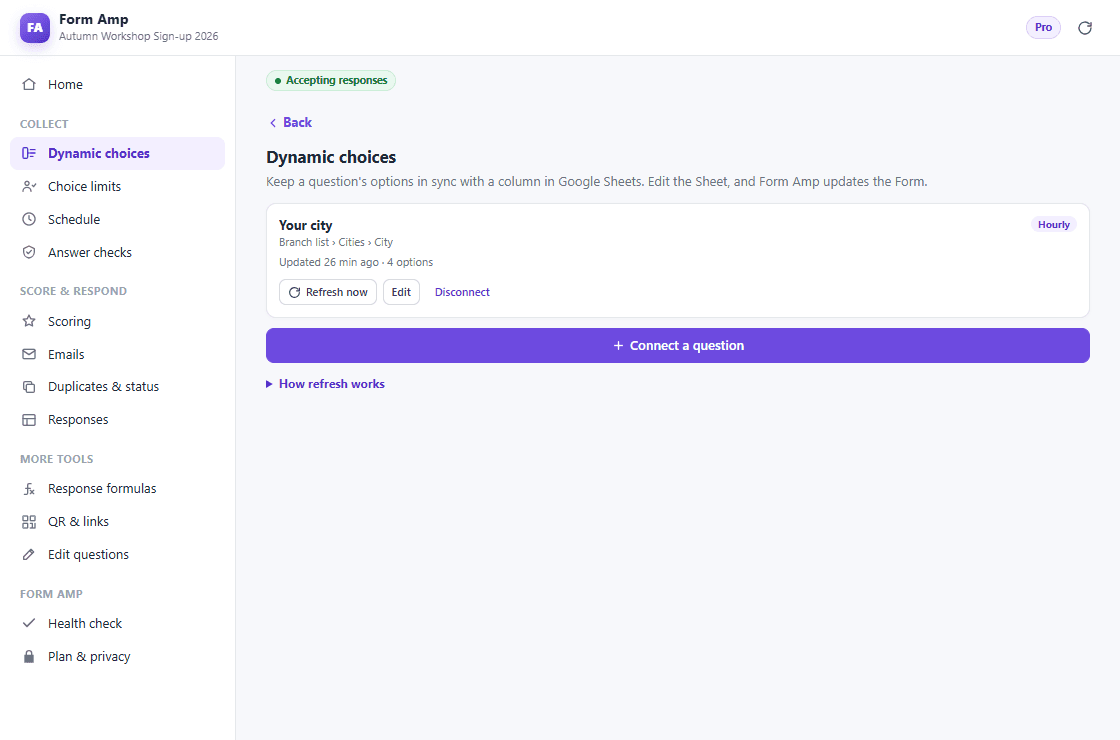
Connect a dropdown, multiple-choice or checkbox question to a Sheet column. Duplicates and blanks are removed, and section routing and quiz answers are kept. Free connects one question, refreshed daily or by hand.
Google Forms™ · Free plan · 14-day Pro trial
Form Amp adds the missing pieces to Google Forms™: options from a Sheet, seat limits, schedules, scoring, emails and response tracking—in one sidebar.
Your Form, answers and Sheets stay in your Google account.
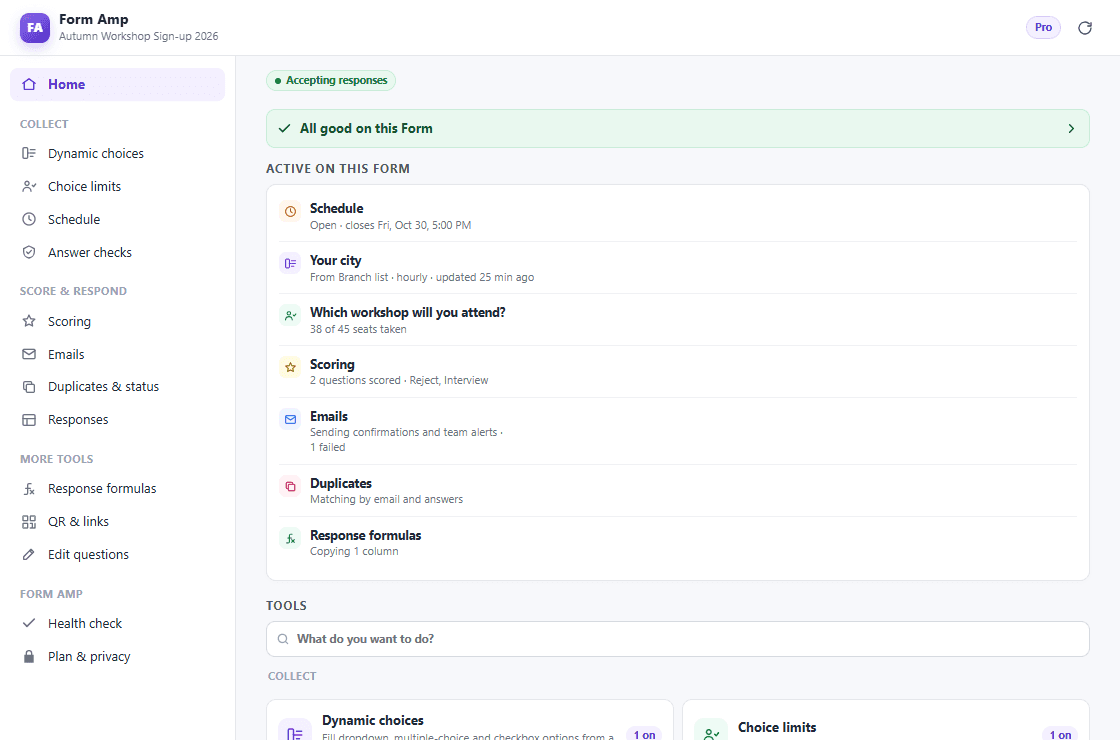
Eleven tools, one sidebar
Use one tool or all of them. Each works on its own and shows up on the Form’s home screen when it is on.
Connect a dropdown, multiple-choice or checkbox question to a Sheet column. Duplicates and blanks are removed, and section routing and quiz answers are kept. Free connects one question, refreshed daily or by hand.
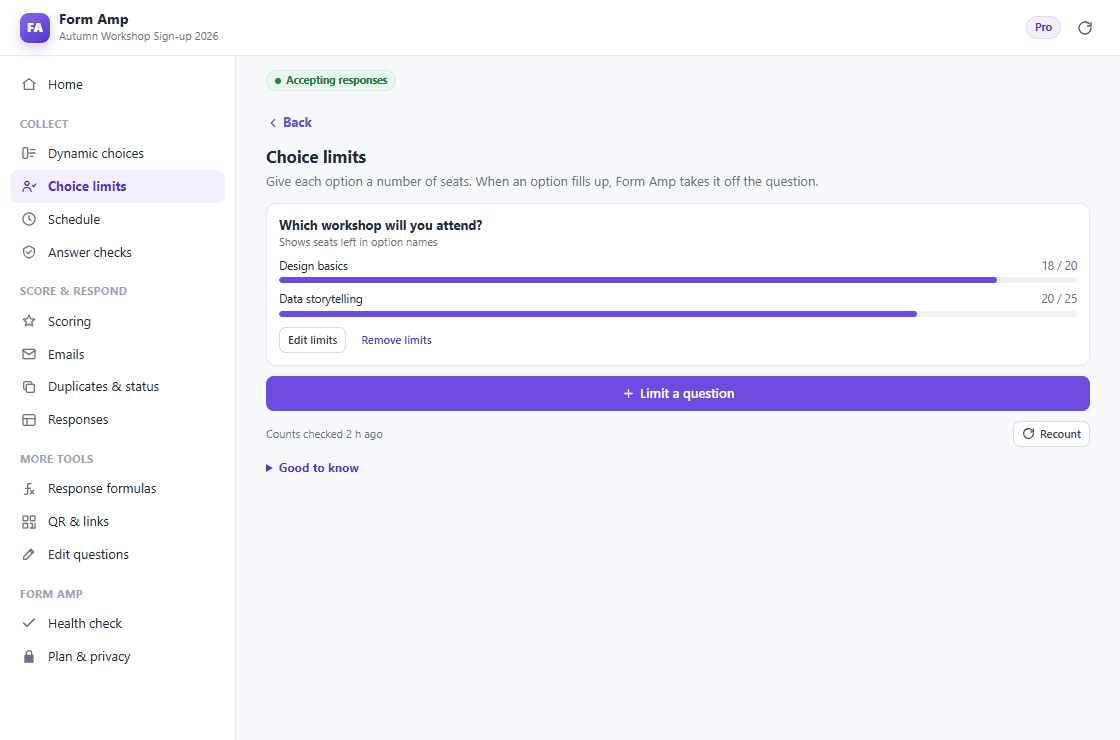
Give each option a number of seats. When an option fills, Form Amp takes it off the question; when every option is full, the Form closes. Free limits one question.
Open and close a Form once at set times, with your own messages. Pro adds weekly windows, such as weekdays from 9 to 5.
Make answers match an email, phone number, number range, length or your own pattern, with a message you write.
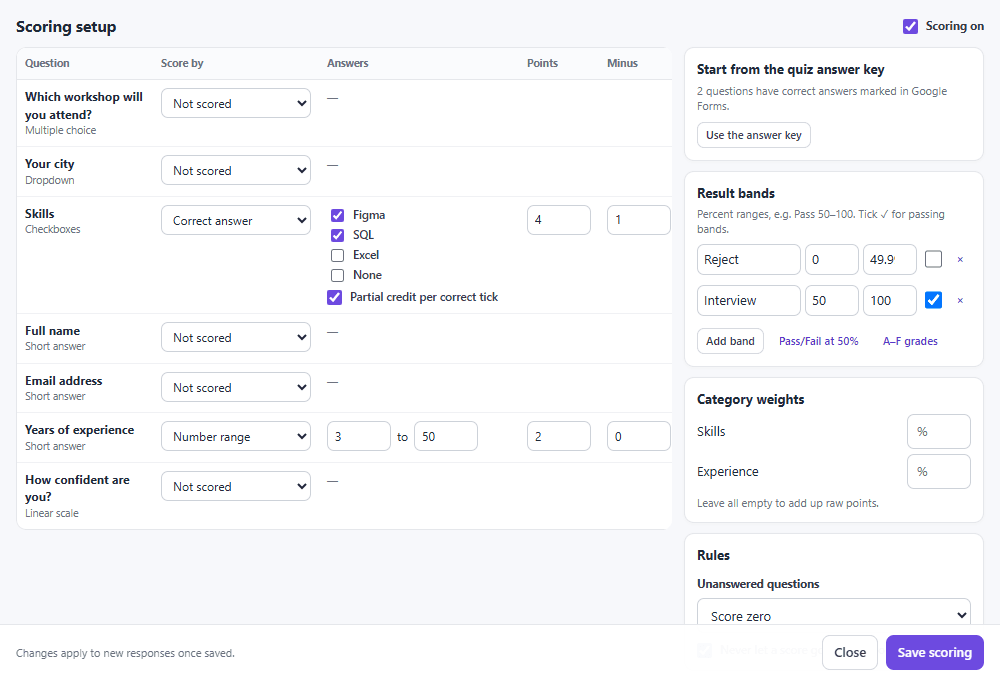
Points, accepted answers, number ranges, negative marking and pass/fail bands, saved as columns in your response Sheet. Pro adds weighted categories and pattern scoring.
Send each respondent a confirmation with their name, score and band. Pro adds team alerts, pass-only confirmations and status emails.
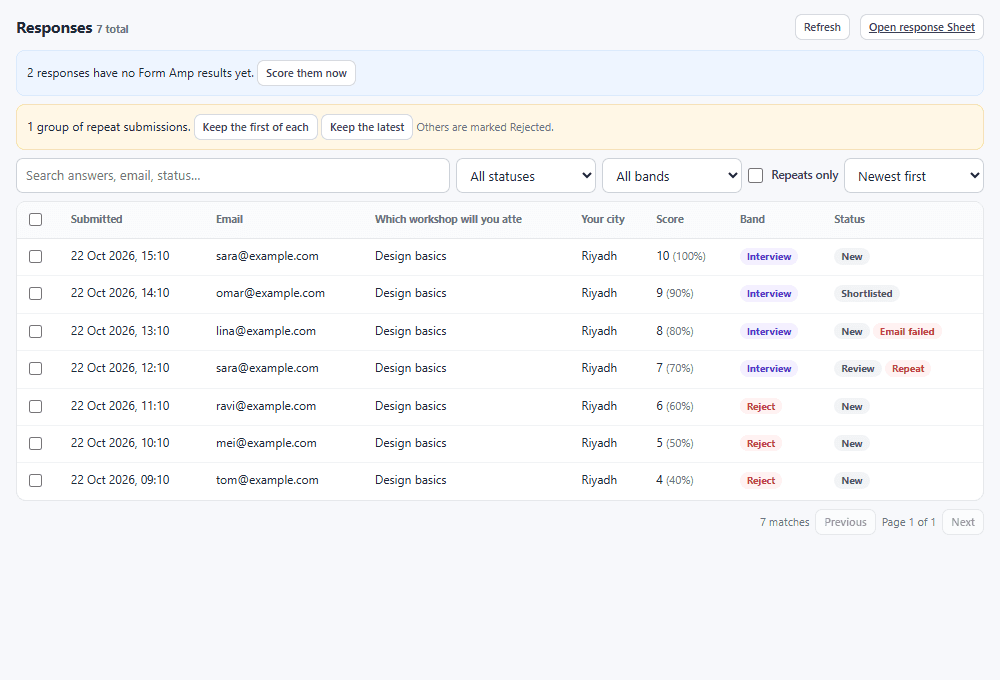
Spot people who submit twice and give every response a status such as New, Approved or Rejected.
Search, filter and sort responses with their scores and statuses. Pro adds bulk status changes, resending, export and resolving repeats.
Copy formulas onto every new response row, make a QR code and create prefilled links. Pro adds a personal link for everyone on a Sheet.
Make questions required, rewrite descriptions, clean up options and find & replace across the Form, with a preview before anything changes.
A closer look
The real interface, with sample data—from a Sheet-driven dropdown to scored, tracked responses.
Install Form Amp, open any Google Form, then choose Form Amp from the add-ons menu.
Connect a Sheet, set seats, add a schedule or scoring. Every change is previewed first.
Respondents use your usual Google Forms link. Form Amp updates the Form and your Sheet as responses arrive.
Form Amp plans
Try every Pro tool for 14 days from inside Form Amp—no card needed.